
How to Apply to
IDEA School of Design
Application Process
1. ApplytoCapU on Education Planner BC
After applying, you will receive a CapU email and student ID number. Learn how to apply to CapU
You can apply for up to two programs at CapU.
2. Submit a program-specific application on Slideroom.
Apply to each program separately on Slideroom
A portfolio is only required for the Bachelor of Design.
3. Check your CapU email for the acceptance offer.
Admissions will contact you via your CapU email when you are accepted.
Application Timeline
We recommend you apply for early admission as space is limited in each cohort.
Sept 15
Slideroom Open
Dec 15
Early Admission Closes
Feb 1
General Admission Closes
Feb - May: If space is available, admission will be granted on a first-come, first-served basis, or applicants will be placed on a waitlist.
Apply to the Bachelor of Design in Visual Communication
Slideroom
Applicants must submit their program specific application through our online portal SlideRoom. Sign up at ideacapilano.slideroom.com. SlideRoom will allow you to save your progress & edit your submission until you click ‘Submit’. Take your time and submit a quality application.
Applicants can submit the following through the online portal Slideroom:
One letter of reference
Portfolio
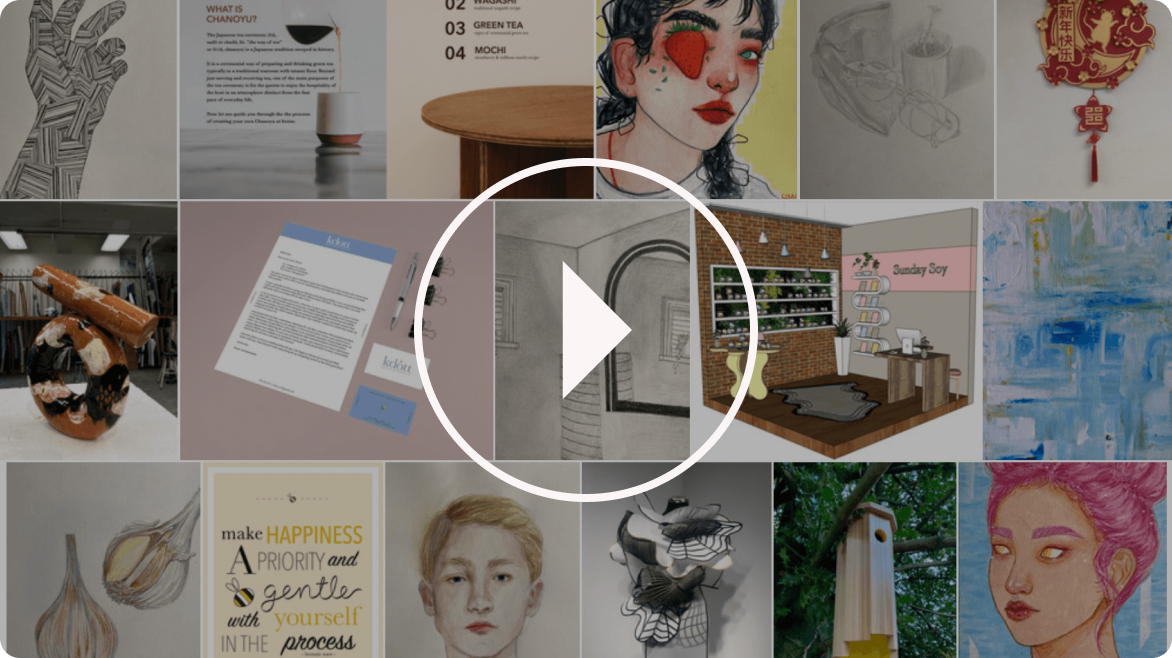
Portfolio advice from faculty
Portfolio
NEW: Drawing ability is not a primary factor in portfolio review. Applicants with strong design and creative ability (and limited drawing experience) are still well-considered for entrance.
-
The purpose of your portfolio is to demonstrate your creative potential. Portfolios are assessed based on:
Design Ability: form, shape, balance, rhythm, variety.
Creativity: experimentation or unique solution with clear message.
Drawing Ability: observation and technique.
-
Provide 10 samples of original work, either personal projects or assignments from school/another program. Samples can be completed in traditional or digital mediums within the last 3 years. Samples can be any combination of graphic design, web or app design, video, collage, exploration of typography, illustration, painting, animation or other creative projects.
Include at least 2 drawings rendered directly from life, without using photos as reference. Our aim is to assess how you observe and respond to the living world. Your drawing may be completed in black/white or colour. Possible subjects are: A manufactured household object, organic objects such as a flower, a piece of fruit, drapery or fabric, human face or hands, landscape or interior of your kitchen. You should spend a minimum of an hour on each of these drawings, so they are more fully explored than a sketch.
-
Digital projects: high-resolution JPG images or video files (at least 1920px wide).
Traditional media: high-quality scans or photographs.
Image titles and descriptions can be added as text in the Slideroom platform. Do not include them in the jpg or video file.
-
All works must be original and created without the use of generative AI.
Apply to the Interaction Design Diploma
Slideroom
Applicants must submit their program specific application through our online portal SlideRoom. Sign up at ideacapilano.slideroom.com. SlideRoom will allow you to save your progress & edit your submission until you click ‘Submit’. Take your time and submit a quality application.
Applicants can submit the following through the online portal Slideroom:
One letter of reference
Introductory video
Introductory Video
-
Create a short video to introduce yourself and your background. Tell us why you are interested in taking this program.
We understand you might be new to user experience or digital design — we want to see your passion.
-
Please include your own voice and face in the video (The use of AI is not permitted).
Video duration should be one minute or less.
All works must be original and created by you, within the last five years.
-
In your video include one creative project that you recently completed.
Work can include: website or app, digital artwork, graphic design, computer programming, engineering, architectural or industrial design, multimedia storytelling, game design, drawing, animation or business & marketing projects.